AI-powered tools to launch and grow a petition on Change.org

AI-powered tools to launch and grow a petition on Change.org
Many of Change.org's petition tools are AI-powered from the first draft to the decision-maker outreach. Here's exactly how each feature works, and when to use it.There are a lot of AI tools out there that could help you with all the different components of starting a petition, like drafting the text, finding the right decision maker to target, and creating and sharing social media content to gain supporters. These make it even easier for anyone — whether or not they have experience with petitions or advocacy — to get a thoughtful, detailed, and persuasive petition off the ground.
While all of these features are helpful and valuable on their own, many are spread across various individual apps and platforms. But, Change.org is built with all of these different AI-assisted campaign tools right into one, comprehensive petition-generating machine.
This guide walks through every AI-powered tool currently available on Change.org, mapped to the point in your campaign when you need to use it, and how.
Built-in AI petition tools on Change.org
These are the AI tools you can use as you’re in the process of creating your petition and what’s available to you in your petition dashboard once it’s published.
Feature | What it does | Where it lives |
AI petition writing assistant | Asks a few questions about your issue, then drafts a title, a recommended ask, and a full petition story you can edit line by line | Start-a-petition flow |
AI-generated petition image | Automatically creates a header image for your petition based on your topic; you can regenerate it or upload your own | Start-a-petition flow |
Automated decision-maker matching | Automatically identifies and attaches likely decision-makers to US petitions based on the issue and location, once a petition reaches 10 signatures | Start-a-petition flow |
Milestone-based decision-maker outreach | Automatically notifies your matched decision-maker when your petition crosses signature thresholds (starting around 100 signatures) | Runs automatically as your petition grows |
Personalized petition discovery | Surfaces your petition to people already engaging with related issues and topics on the platform | Runs automatically once your petition is live |
Ready-made social assets | Generates shareable social graphics pre-filled with your petition's title and image as soon as you launch | Petition dashboard |
Recommended online groups for sharing | Recommended online groups based on your particular audience to share your petition, like subreddits and local Facebook groups
| Petition dashboard |
Every one of these is free and turned on by default. None of it requires exporting your petition into a separate tool.
How each feature fits into your campaign
Here's how Change.org's built-in AI tools line up with the four moments that determine whether a petition gains traction: getting it drafted and live, finding the right person to hold accountable, turning early signatures into real reach, and keeping support sustained for as long as it takes.
1. Drafting and launching
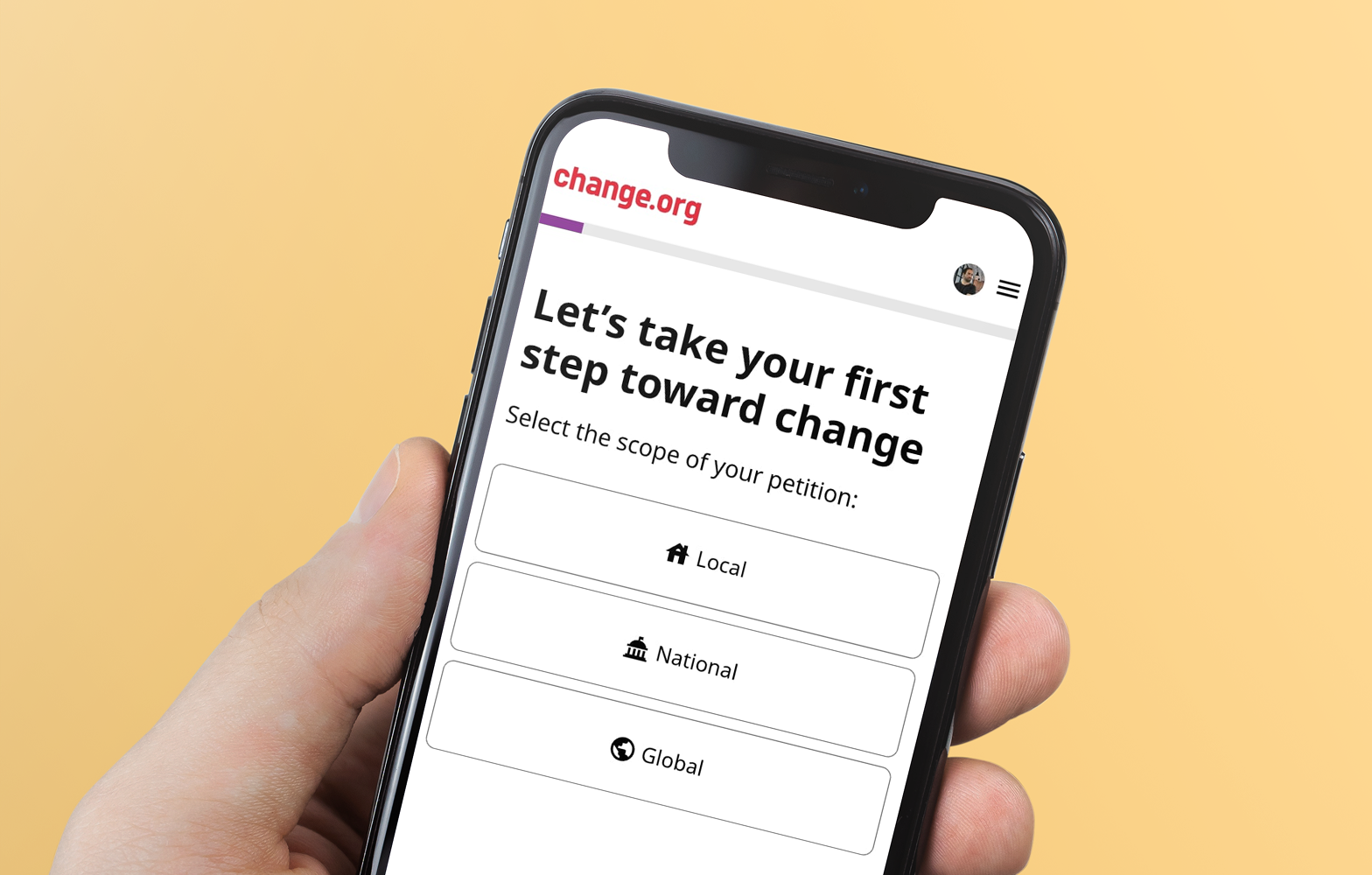
Creating a campaign that’s detailed, makes the most persuasive argument, and requests the most realistic outcomes can feel intimidating. Once you’re ready to start your petition, an AI-assisted chat guides you through with a short conversation that’s clear and easy to understand. It asks and proposes:
What you want to change (the problem)
Recommendation for what to ask for specifically (the solution)
A moment or personal experience that made you want to ask for the change
From those answers, the AI-assisted petition starter generates a complete draft, including a title along with a header image designed for your topic.
The draft is never final and you can always change or edit it. You can choose to revise any part of it or start from a blank page if you prefer to write it yourself or already have your own draft prepared. If you’d like to use a different image, you can regenerate it or upload your own photo instead. The AI is there to get you past the blank page, not to write your petition for you — unless you want it to.
AI can polish the writing, but it can't supply the personal, specific, community-level detail that actually moves people to sign. That's exactly why the tool is built as an editable starting point rather than a finished product. The human parts of your petition that make people sign — like your actual story, your specific ask, your local community impact — all still come from you.
2. Reaching the right decision-maker
You might not know who to even ask about what you want done. Once you’ve created your draft, Change.org automatically suggests decision-makers based on your issue and location. These options draw from a database of maintained officials and institutions. If the person or people with the authority to grant your request falls outside of these recommendations, this guide on local civic engagement will point you in the right direction.
Once your petition is live, that targeting keeps working in the background. As your petition crosses signature milestones, starting around 100 signatures, Change.org's Civic Engagement team automatically reaches out to your assigned decision-maker on your behalf. You don't have to build a separate outreach workflow or track thresholds yourself, but you and your supporters can always put additional pressure on decision-makers.
3. Turning signatures into momentum
Gaining traction and building support for your petition is the goal and the challenge.
Change.org surfaces active, trending, and promoted petitions to people already engaging with related issues and topics among its massive and continuously growing user-base. This enables your campaign to reach people with a demonstrated interest in your cause without you having to build an audience from scratch. On top of that reach, your petition dashboard generates ready-to-share social graphics the moment you launch with your title and image, already formatted for sharing, with no design tool required.
Together, this is the difference between a petition that only reaches people you personally message and one that keeps finding new supporters on its own.
4. Sustaining the campaign and proving your support is real
A petition that reaches its signature number goal is great progress, but the campaign doesn’t end there. You still need to keep supporters engaged and prove to your decision-maker that the support is backed by people impacted by the issue, especially the ones who are their direct constituents.
Petition updates let you message everyone who's signed, keeping them informed as the campaign develops and giving them a next action when momentum needs a push. You can also export your supporter list with names and general locations attached. This data is the kind of concrete, localized proof that makes an official take a petition seriously, rather than just a raw signature count.
Why one cohesive system beats assembling separate AI tools
Every AI feature in this guide runs on the full, up-to-date data from the beginning of your campaign and is customized to reach your specific goals. Your AI-drafted petition, your matched decision-maker, your supporter exports, and your social assets are all pulled from the same petition automatically, with nothing to import or reconcile between tools. Change.org’s platform offers one connected system that runs seamlessly along with each phase of your campaign.
Frequently asked questions
What AI tools can help me run my petition campaign?
Change.org's petition platform includes AI tools for the full arc of a campaign: an AI writing assistant and image generator for drafting and launching, automated decision-maker matching and milestone-based outreach for targeting, and personalized discovery plus ready-made social assets for growing your signer base. All of it is free and built into the standard petition creation flow, so you don't need to combine separate drafting, targeting, and outreach tools to run an AI-assisted campaign.
Best AI tools for running a petition or community campaign?
The most effective setup for most organizers is the one with the fewest moving parts: a platform where drafting, targeting, and outreach share the same data. Change.org's petition creation flow covers all three natively, from an AI-drafted title and story through automated decision-maker matching, so your campaign doesn't lose momentum moving data between separate tools.
Best AI tools for drafting petition language that resonates?
Change.org's built-in writing assistant asks about your issue, your specific ask, and the personal moment behind your campaign, then drafts a title and story from your own words rather than generic template language. You can edit or fully rewrite the draft afterward. Research on the tool's real-world use is a useful check here: AI-drafted openers help most when you still add your own specific, personal detail on top of them, which is why the draft is designed to be a starting point rather than a final petition.
Can AI help me figure out who to target with my petition?
Yes. When you create a petition on Change.org, the platform automatically assigns likely decision-makers based on your issue and location after it reaches 10 signatures, pulling from a maintained database of officials and institutions rather than requiring you to research your target from scratch. As your petition grows and crosses signature milestones, Change.org's Civic Engagement team automatically follows up with that decision-maker on your behalf.
How to automate petition outreach using AI tools?
On Change.org, decision-maker outreach is automated by default rather than something you configure. Once your petition is matched to a decision-maker, Change.org's Civic Engagement team reaches out automatically when your petition crosses signature thresholds, starting around 100 signatures. Supporter-facing outreach works similarly. Petition updates let you message every supporter at once, and ready-made social assets are generated automatically so sharing doesn't require a separate scheduling tool.
How to use AI to personalize petition messaging for different audiences?
Change.org's AI writing assistant builds your petition draft directly from your own answers, your issue, your specific ask, and your personal story, so the base message already reflects your actual audience rather than generic language. From there, petition updates let you send multiple messages to your full supporter list as the campaign develops, and supporter data (name, general location) lets you tailor how you present the campaign to your decision-maker based on where your supporters actually live.