

Bring Back The Classic Samsung Dex
Kampanya metni

We, the undersigned, are long-time Samsung Galaxy Tab users who feel betrayed and furious by the recent One UI 8 update. This official release killed the beloved “Classic DeX” mode on all Samsung tablets like the one I use Galaxy Tab S9+, replacing it with a stripped-down new desktop interface. Classic DeX was a core reason many of us chose a Samsung tablet because it turned our devices into true laptop replacements. Without warning, Samsung stripped away the very features that made our tablets unique. We are now left with a confusing “new DeX” that feels barely functional, as even tech reviewers admit it is currently “a downgrade” that “lacks many quality-of-life features”. In short, Samsung took away our work-from-tablet ecosystem.
New
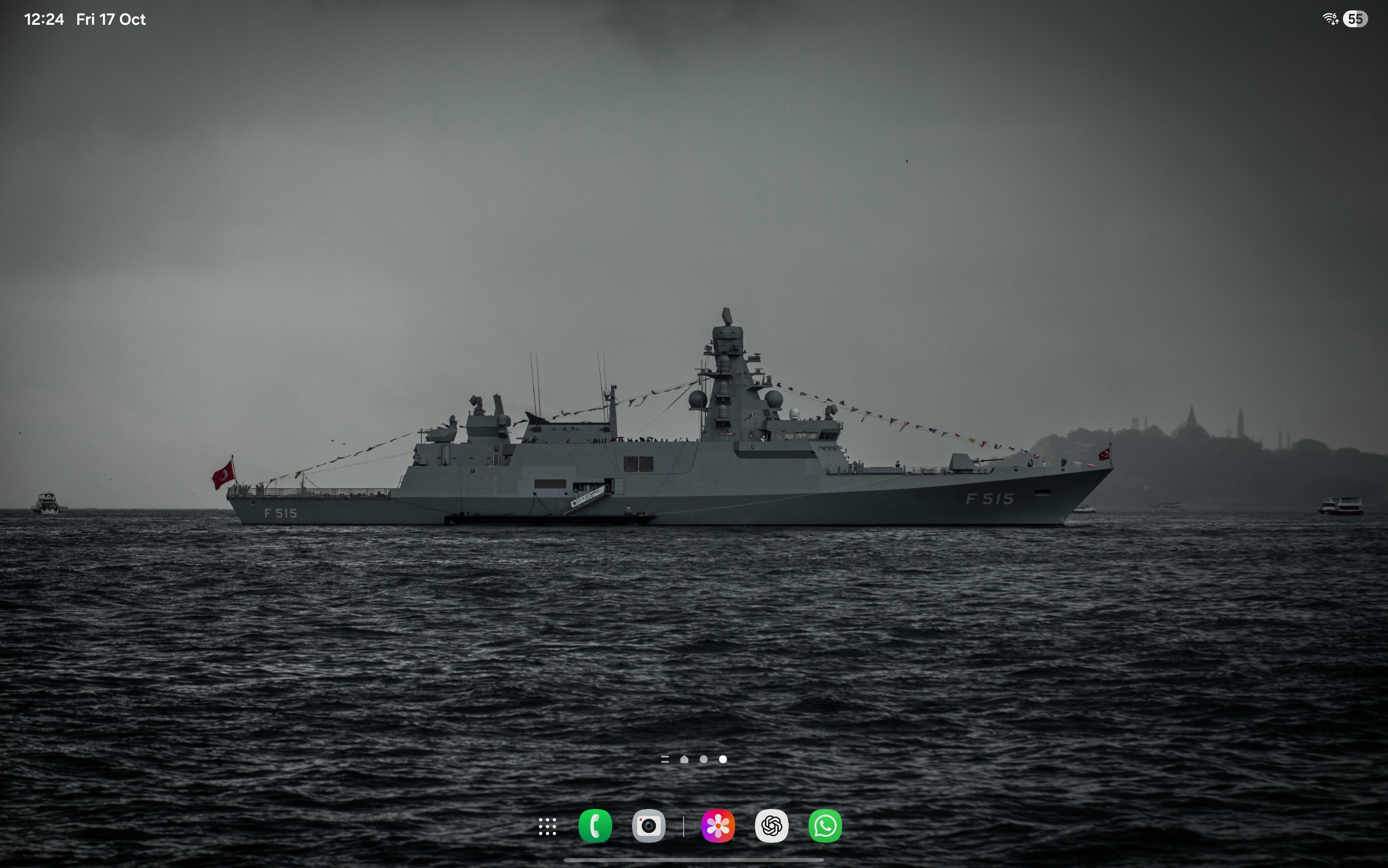
Old
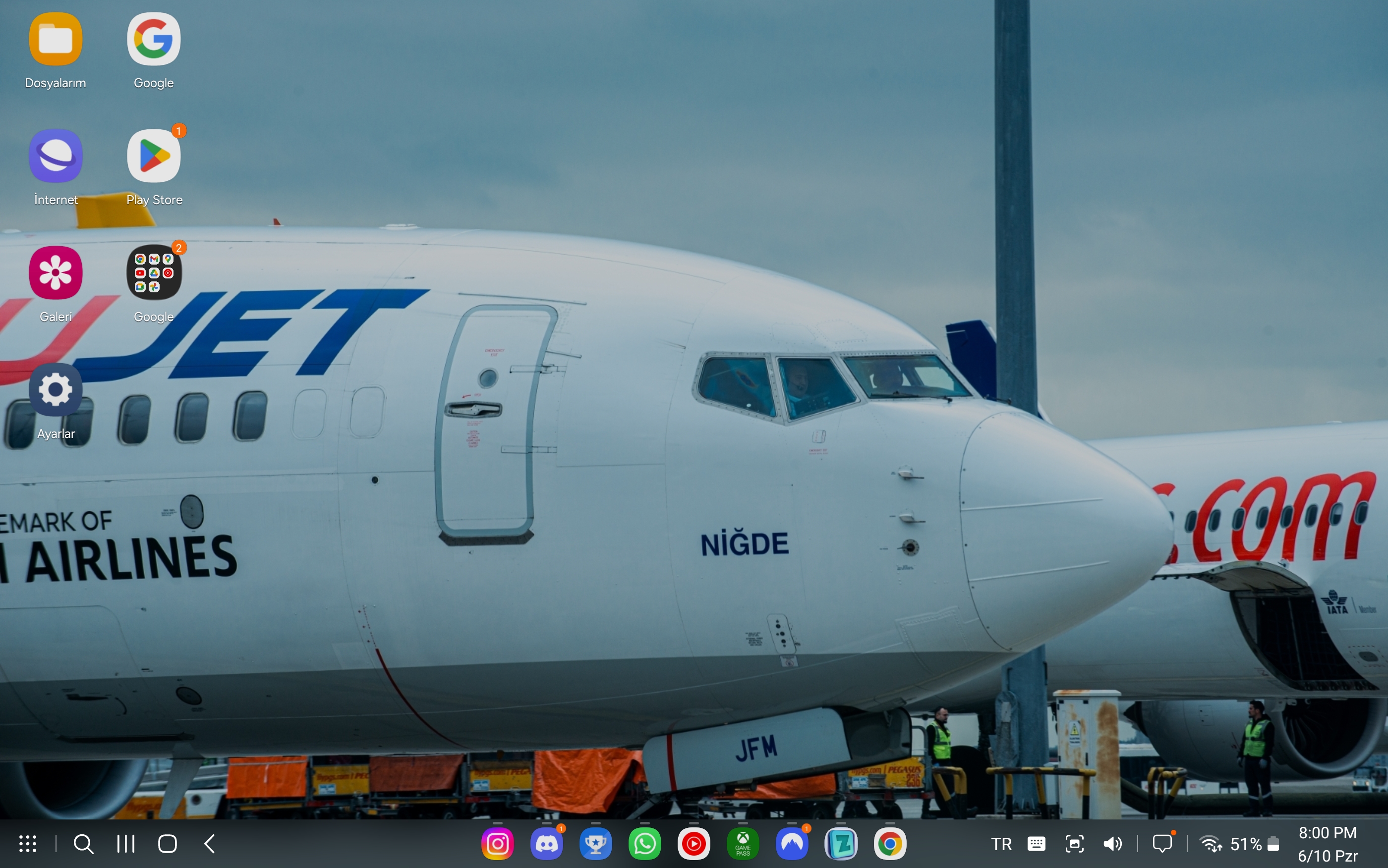
Since updating to One UI 8, users have discovered that essential DeX settings and features are gone. For example, the simple toggle to auto-start DeX when connecting to HDMI is gone, and most DeX settings have vanished. The taskbar and keyboard options were removed; we can no longer auto-hide the taskbar, pin apps, or even choose the on-screen keyboard location. Functions like setting default audio output or app icon badges are gone. Even our basic multitasking controls have disappeared: the button to pin an app on top, the buttons to lock or exit DeX from the app drawer, and advanced Good Lock “MultiStar” Dex features (like running more than 5 apps at once or auto-reopening the last app) have all been removed. We can no longer snap windows to corners or right-click the desktop for options – these simple conveniences that used to work flawlessly are now broken. In one glaring example, the app header and taskbar now always stay on screen even when watching a full-screen video, ruining the immersion. In short, the new DeX is missing almost everything that made classic DeX great.
Removed settings: Samsung removed the entire DeX settings submenus for Taskbar, Keyboard, audio output, and icon badges. You can no longer auto-hide the taskbar or change keyboard placement, making DeX clunkier.
Gone features: The “Pin app” button and the “Lock DeX/Exit DeX” buttons have vanished from the interface. These used to let us lock our session or pin windows on top – now we have no choice. Key multitasking toggles in the Good Lock MultiStar app (run many apps at once, reopen last app, adjust header bar delay) were also removed.
Window management lost: We can’t snap windows to edges anymore, nor right-click the desktop to sort or clean up icons. Even the DeX app drawer is now cluttered and limited (for example, the taskbar can only hold 5 app icons). In practice, these changes destroy our workflow.
Everyday users are livid. As one affected owner put it, the update “feels like a downgrade… DeX used to be one of the best desktop experiences on mobile”. Another wrote: *“I don’t get how removing features was supposed to make it better, but Samsung really dropped the ball on this one!”*. People bought Galaxy Tab S9+ tablets because of Classic DeX. Now many say they “will not update” until Samsung restores the old mode, because the new version “doesn’t support my workflow” and “took away the feature that made this device unique”. In forums and on social media, Samsung’s loyal fans lament that their $1,000+ tablets have been neutered, useful tools for work and creativity turned into underpowered toys overnight.
Our devices were sold as ultra-portable PCs – Samsung even advertises DeX as letting tablets run a full desktop-like interface. We depend on that functionality. Many of us use DeX daily for business, education or media, relying on multiple windows and keyboard shortcuts on the go. Now those capabilities are crippled. To quote an Android Authority analysis: “Samsung tablets already have two versions of DeX… There are people out there who regularly use DeX for everything from media consumption on TVs to a work laptop replacement… If that doesn’t happen, the new version of DeX should’ve been an option, not a choice we’ve been denied.”. We agree wholeheartedly – this should have been an option available to users, not a forced change that destroys what we paid for.
Samsung, you have broken the trust of your customers. We urge you to hear our voices and restore the Classic DeX experience (or at the very least let us switch back to it) on One UI 8 for tablets. Our demands are simple and just:
1. Re-enable the Classic DeX mode on One UI 8 tablets like the Galaxy Tab S9/S9+/Ultra, with all its original features (taskbar controls, window snapping, pinning, etc.) restored.
2. If a unified “new” desktop mode is desired, make it optional like it was until OneUI 8. Let users choose between Classic and New DeX, don’t force the downgrade on everyone.
3. Until then, stop auto-updating DeX on our devices. Samsung can send a software update to re-enable Classic mode or provide a switch. Do not leave us without a solution.
We have invested in Samsung tablets because of DeX. Our creativity, work productivity and even basic daily tasks have been tied to it. To remove those capabilities and call it an “improvement” is unacceptable. If enough customers speak out, Samsung will see the damage done by this change. We demand that Samsung fix this immediately.
Sign below if you agree that Classic DeX must be brought back. Together, we can show Samsung that their community expects no less than the full DeX functionality we were promised and purchased.
Sincerely,
Dedicated Samsung Galaxy Tab users and DeX fans.

507
Kampanya metni
We, the undersigned, are long-time Samsung Galaxy Tab users who feel betrayed and furious by the recent One UI 8 update. This official release killed the beloved “Classic DeX” mode on all Samsung tablets like the one I use Galaxy Tab S9+, replacing it with a stripped-down new desktop interface. Classic DeX was a core reason many of us chose a Samsung tablet because it turned our devices into true laptop replacements. Without warning, Samsung stripped away the very features that made our tablets unique. We are now left with a confusing “new DeX” that feels barely functional, as even tech reviewers admit it is currently “a downgrade” that “lacks many quality-of-life features”. In short, Samsung took away our work-from-tablet ecosystem.
New
Old
Since updating to One UI 8, users have discovered that essential DeX settings and features are gone. For example, the simple toggle to auto-start DeX when connecting to HDMI is gone, and most DeX settings have vanished. The taskbar and keyboard options were removed; we can no longer auto-hide the taskbar, pin apps, or even choose the on-screen keyboard location. Functions like setting default audio output or app icon badges are gone. Even our basic multitasking controls have disappeared: the button to pin an app on top, the buttons to lock or exit DeX from the app drawer, and advanced Good Lock “MultiStar” Dex features (like running more than 5 apps at once or auto-reopening the last app) have all been removed. We can no longer snap windows to corners or right-click the desktop for options – these simple conveniences that used to work flawlessly are now broken. In one glaring example, the app header and taskbar now always stay on screen even when watching a full-screen video, ruining the immersion. In short, the new DeX is missing almost everything that made classic DeX great.
Removed settings: Samsung removed the entire DeX settings submenus for Taskbar, Keyboard, audio output, and icon badges. You can no longer auto-hide the taskbar or change keyboard placement, making DeX clunkier.
Gone features: The “Pin app” button and the “Lock DeX/Exit DeX” buttons have vanished from the interface. These used to let us lock our session or pin windows on top – now we have no choice. Key multitasking toggles in the Good Lock MultiStar app (run many apps at once, reopen last app, adjust header bar delay) were also removed.
Window management lost: We can’t snap windows to edges anymore, nor right-click the desktop to sort or clean up icons. Even the DeX app drawer is now cluttered and limited (for example, the taskbar can only hold 5 app icons). In practice, these changes destroy our workflow.
Everyday users are livid. As one affected owner put it, the update “feels like a downgrade… DeX used to be one of the best desktop experiences on mobile”. Another wrote: *“I don’t get how removing features was supposed to make it better, but Samsung really dropped the ball on this one!”*. People bought Galaxy Tab S9+ tablets because of Classic DeX. Now many say they “will not update” until Samsung restores the old mode, because the new version “doesn’t support my workflow” and “took away the feature that made this device unique”. In forums and on social media, Samsung’s loyal fans lament that their $1,000+ tablets have been neutered, useful tools for work and creativity turned into underpowered toys overnight.
Our devices were sold as ultra-portable PCs – Samsung even advertises DeX as letting tablets run a full desktop-like interface. We depend on that functionality. Many of us use DeX daily for business, education or media, relying on multiple windows and keyboard shortcuts on the go. Now those capabilities are crippled. To quote an Android Authority analysis: “Samsung tablets already have two versions of DeX… There are people out there who regularly use DeX for everything from media consumption on TVs to a work laptop replacement… If that doesn’t happen, the new version of DeX should’ve been an option, not a choice we’ve been denied.”. We agree wholeheartedly – this should have been an option available to users, not a forced change that destroys what we paid for.
Samsung, you have broken the trust of your customers. We urge you to hear our voices and restore the Classic DeX experience (or at the very least let us switch back to it) on One UI 8 for tablets. Our demands are simple and just:
1. Re-enable the Classic DeX mode on One UI 8 tablets like the Galaxy Tab S9/S9+/Ultra, with all its original features (taskbar controls, window snapping, pinning, etc.) restored.
2. If a unified “new” desktop mode is desired, make it optional like it was until OneUI 8. Let users choose between Classic and New DeX, don’t force the downgrade on everyone.
3. Until then, stop auto-updating DeX on our devices. Samsung can send a software update to re-enable Classic mode or provide a switch. Do not leave us without a solution.
We have invested in Samsung tablets because of DeX. Our creativity, work productivity and even basic daily tasks have been tied to it. To remove those capabilities and call it an “improvement” is unacceptable. If enough customers speak out, Samsung will see the damage done by this change. We demand that Samsung fix this immediately.
Sign below if you agree that Classic DeX must be brought back. Together, we can show Samsung that their community expects no less than the full DeX functionality we were promised and purchased.
Sincerely,
Dedicated Samsung Galaxy Tab users and DeX fans.
Karar Vericiler

İmzacılar Ne Diyor?
Kampanya Güncellemeleri
Bu kampanyayı paylaş
Kampanya 16 Ekim 2025 tarihinde başlatıldı