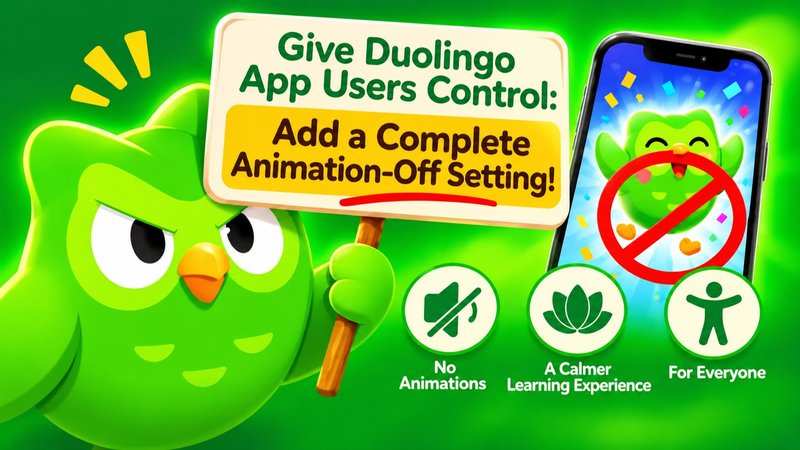
Give Duolingo App Users Control: Add a Complete Animation-Off Setting!
The Issue
The problem
Duolingo has become increasingly filled with animations, visual effects, flashing elements, moving characters, celebration screens, and animated rewards.
While some users enjoy these features, others find them distracting, overwhelming, uncomfortable, or even physically difficult to tolerate.
For people with light sensitivity, migraine, motion sensitivity, sensory processing difficulties, or visual overstimulation, excessive movement and flashing effects can make using the app genuinely uncomfortable.
The problem is that Duolingo does not currently provide a comprehensive in-app option to disable all animations.
The number of animations and visual effects in the Duolingo mobile app has continued to grow over time. As new features and updates introduce even more animated elements, the lack of a comprehensive animation-off option is becoming an increasingly significant accessibility issue.
Even when users turn off the available animation settings in the app or enable their device's reduced-motion options, animations and visual effects continue to appear throughout the app.
Although the website currently offers an option to disable animations, the mobile app still lacks a comprehensive equivalent. We ask Duolingo to provide the same level of control in the app and to maintain these accessibility options across all platforms as new features are introduced.
This is an accessibility issue — not just a personal preference
Users should not have to choose between learning a language and protecting their visual comfort and well-being.
An increasingly animated interface can make language learning unnecessarily difficult for people who need a calmer, more predictable visual environment.
It can also affect users who simply prefer a clean, distraction-free learning experience.
Importantly, this issue can have consequences for Duolingo itself. When users repeatedly find the app uncomfortable or frustrating to use, some may eventually stop using it, cancel their paid subscriptions, and look for alternative language-learning applications that better accommodate their needs.
A feature that could make the app accessible to more people should not become a reason for users to leave.
What we are asking Duolingo to do
We are asking Duolingo to introduce a comprehensive, user-controlled animation setting directly in the app.
Ideally, users should be able to:
- Turn off all animations throughout the app, including lesson-completion celebrations, reward screens, character movements, and animated elements.
- Disable flashing effects, sudden visual transitions, and unnecessary motion.
- Skip or completely disable animated reward and celebration screens.
- Choose between full animations, reduced animations, and a completely static interface.
- Keep these settings consistent across app updates, so new features do not automatically reintroduce unwanted animations.
Give users the choice
We are not asking Duolingo to remove animations for everyone.
We understand that many people enjoy them and find them motivating. They should absolutely be able to keep them.
We are simply asking Duolingo to respect the needs and preferences of users who do not want or cannot comfortably tolerate these effects.
A language-learning app should be accessible to as many people as possible.
Please listen to your users and give everyone the freedom to choose how much animation they want to see.
A simple, comprehensive animation-off option could make a significant difference to many people's ability and willingness to continue learning with Duolingo.
Let us learn without unnecessary visual overload.
1
The Issue
The problem
Duolingo has become increasingly filled with animations, visual effects, flashing elements, moving characters, celebration screens, and animated rewards.
While some users enjoy these features, others find them distracting, overwhelming, uncomfortable, or even physically difficult to tolerate.
For people with light sensitivity, migraine, motion sensitivity, sensory processing difficulties, or visual overstimulation, excessive movement and flashing effects can make using the app genuinely uncomfortable.
The problem is that Duolingo does not currently provide a comprehensive in-app option to disable all animations.
The number of animations and visual effects in the Duolingo mobile app has continued to grow over time. As new features and updates introduce even more animated elements, the lack of a comprehensive animation-off option is becoming an increasingly significant accessibility issue.
Even when users turn off the available animation settings in the app or enable their device's reduced-motion options, animations and visual effects continue to appear throughout the app.
Although the website currently offers an option to disable animations, the mobile app still lacks a comprehensive equivalent. We ask Duolingo to provide the same level of control in the app and to maintain these accessibility options across all platforms as new features are introduced.
This is an accessibility issue — not just a personal preference
Users should not have to choose between learning a language and protecting their visual comfort and well-being.
An increasingly animated interface can make language learning unnecessarily difficult for people who need a calmer, more predictable visual environment.
It can also affect users who simply prefer a clean, distraction-free learning experience.
Importantly, this issue can have consequences for Duolingo itself. When users repeatedly find the app uncomfortable or frustrating to use, some may eventually stop using it, cancel their paid subscriptions, and look for alternative language-learning applications that better accommodate their needs.
A feature that could make the app accessible to more people should not become a reason for users to leave.
What we are asking Duolingo to do
We are asking Duolingo to introduce a comprehensive, user-controlled animation setting directly in the app.
Ideally, users should be able to:
- Turn off all animations throughout the app, including lesson-completion celebrations, reward screens, character movements, and animated elements.
- Disable flashing effects, sudden visual transitions, and unnecessary motion.
- Skip or completely disable animated reward and celebration screens.
- Choose between full animations, reduced animations, and a completely static interface.
- Keep these settings consistent across app updates, so new features do not automatically reintroduce unwanted animations.
Give users the choice
We are not asking Duolingo to remove animations for everyone.
We understand that many people enjoy them and find them motivating. They should absolutely be able to keep them.
We are simply asking Duolingo to respect the needs and preferences of users who do not want or cannot comfortably tolerate these effects.
A language-learning app should be accessible to as many people as possible.
Please listen to your users and give everyone the freedom to choose how much animation they want to see.
A simple, comprehensive animation-off option could make a significant difference to many people's ability and willingness to continue learning with Duolingo.
Let us learn without unnecessary visual overload.
Petition Updates
Share this petition
Petition created on November 18, 2026