RACIST JOHN YATES INSTAGRAM VIDEO REMOVED

Happy Friday,
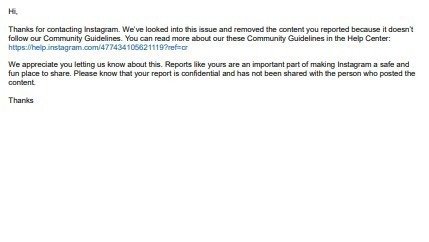
I don't know if you all remember, but JY had an IG video showing superficial wounds, which IG views as encouraging self-harm. So, the video was removed, and it only took a couple of hours to remove it. I'll explain how I did it (see screenshot). I think this way works best because a human might review it; plus, it allows you to add details about the violation.
I will not post video links or timestamps here. So, to help out, you must find the violations yourself by watching his short IG videos or reviewing his posts. Usually, the behind-the-scenes workers do this for you; however, that can lead to JY getting a heads up and hiding the video. This is your chance to help with behind-the-scenes work that might take longer than usual. Not too long. But yeah you have to watch or read the content first to find violations.
- Get the link to the post(s) you want to report. Timestamps are great but unnecessary. But will help the reviewer find the issue. I prefer adding timestamps that way; someone won't halfway review it. His IG is JohnYates327TV
- Copy and paste those links to an online notepad, sticky notes, or your phone's notes or clipboard. Keep track of why you're reporting each link. I like to use Google Docs to keep track of links and timestamps.
- Logout of Instagram
- Go to this link. https://t.co/xA5qXJKqPG
- Scroll to the bottom of the page
- Click I don't have an IG -report
- Select, no, I don't have an IG account.
- Pick why you're reporting the content based on what it violates
- Remember to use a different email than the one that you use for IG.
- If you're international, put that you're from the U.S.
- Submit it. Thanks for helping.
If you have any questions direct message me at Twitter.com/CancelJohnYates
Have a Great Weekend.
If everyone does this then we will get more removals.